You can always update the document level access you have given to your contacts by following the below steps:
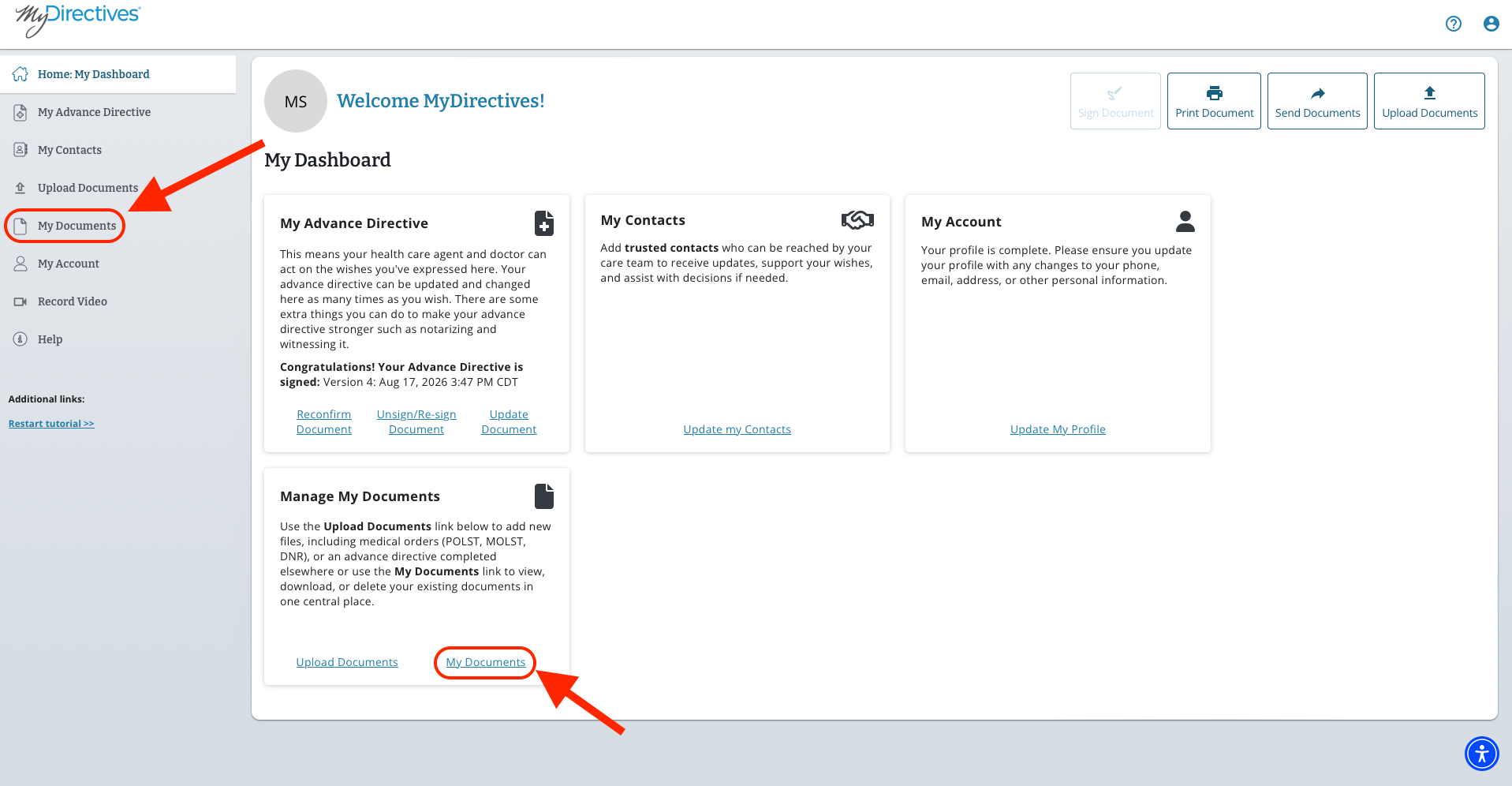
1. Sign into your MyDirectives account and click on the My Documents tab on the left-hand side of your screen or in then tile near the bottom of your screen.
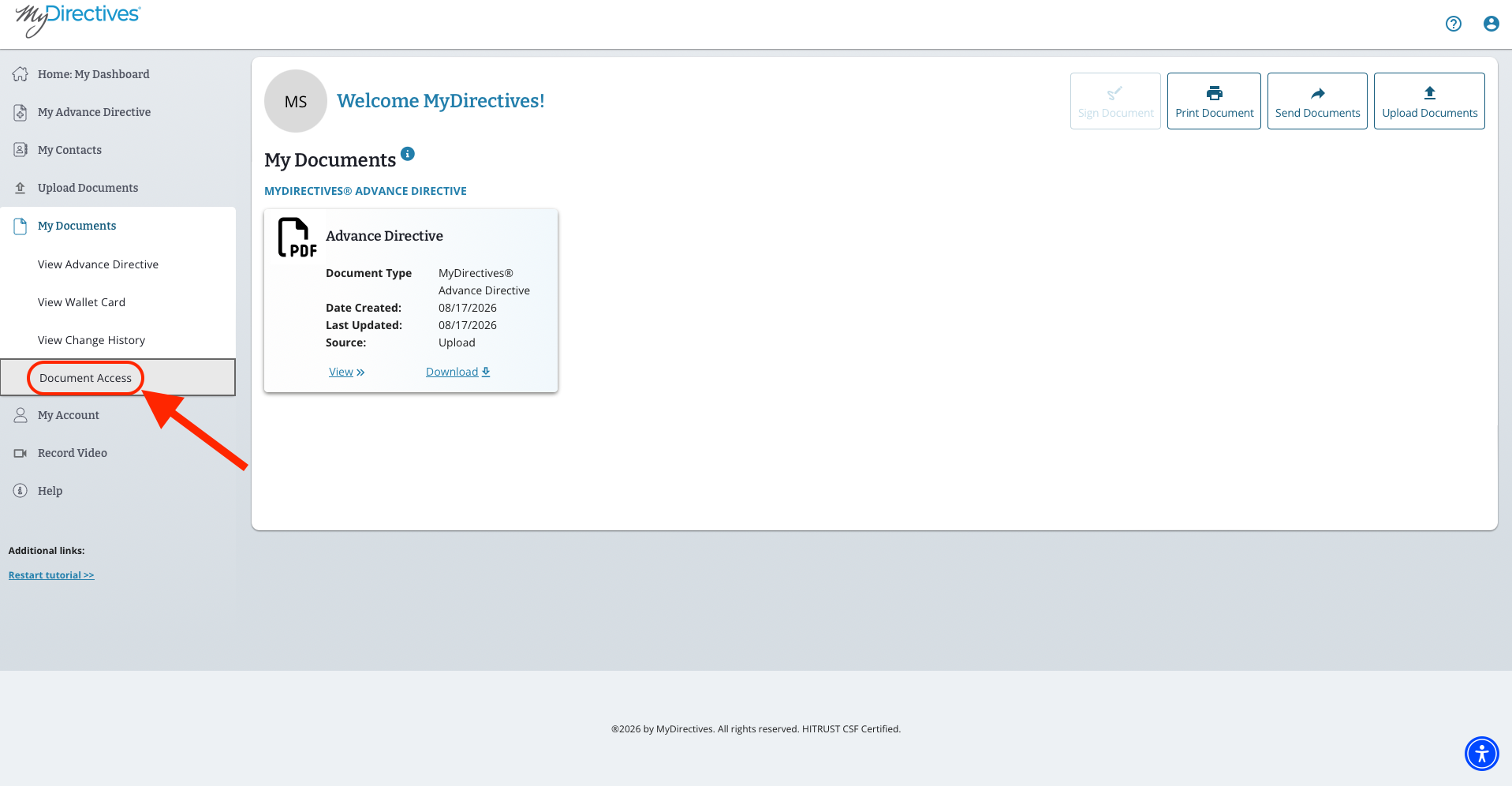
2. Here you will need to click on the Document Access tab under the My Documents Dropdown on the left-hand side of your screen.
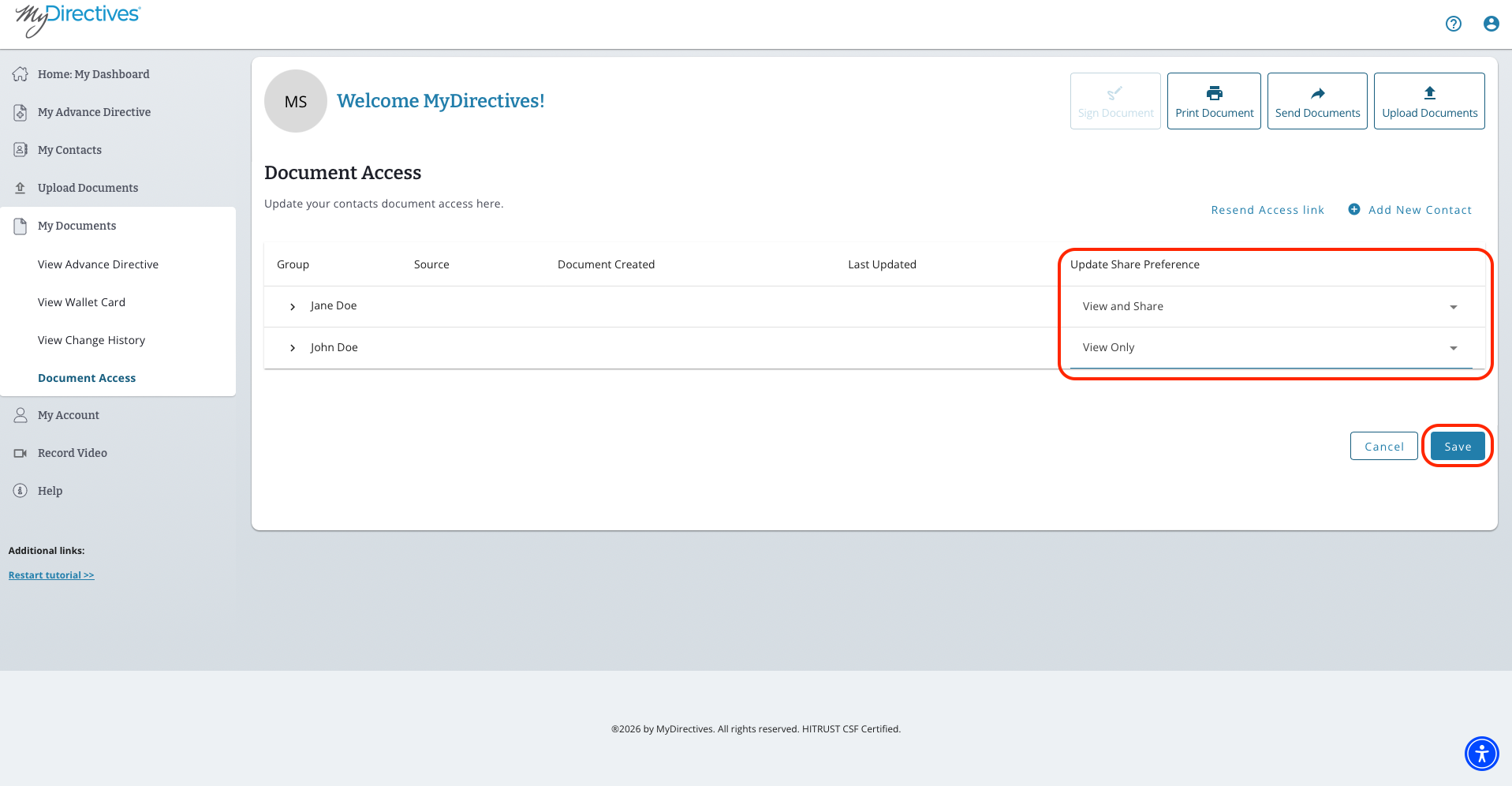
3. Here, you will be able to edit the document access for each of your contacts by clicking on the tab next to each name under Update Share Preferences. Please be sure to click on the blue Save button once all of these changes are completed.