
Once you have digitally signed your Advance Directive, you will be able to send a Remote Witness Signature request by following the below steps:
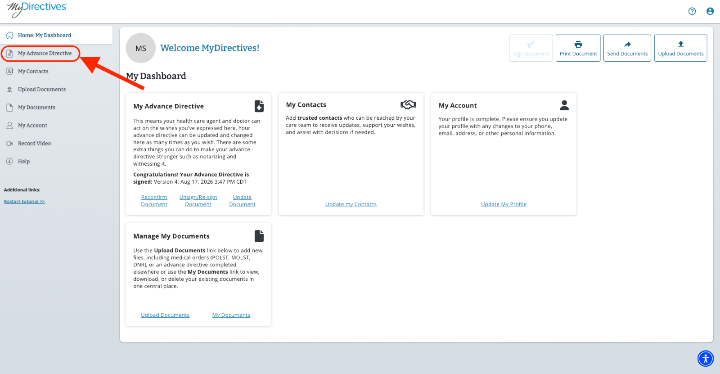
Starting in your dashboard, click on the My Advance Directive button on the left-hand side of your screen.
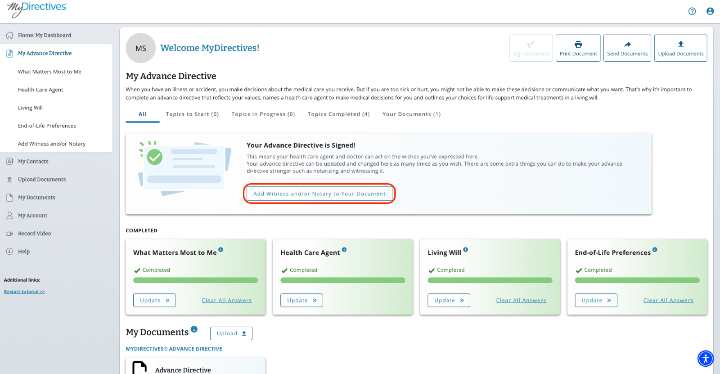
On the My Advance Directive page, click on the Add Witness and/or Notary to your Document button to be taken to the Witness/Notary page.
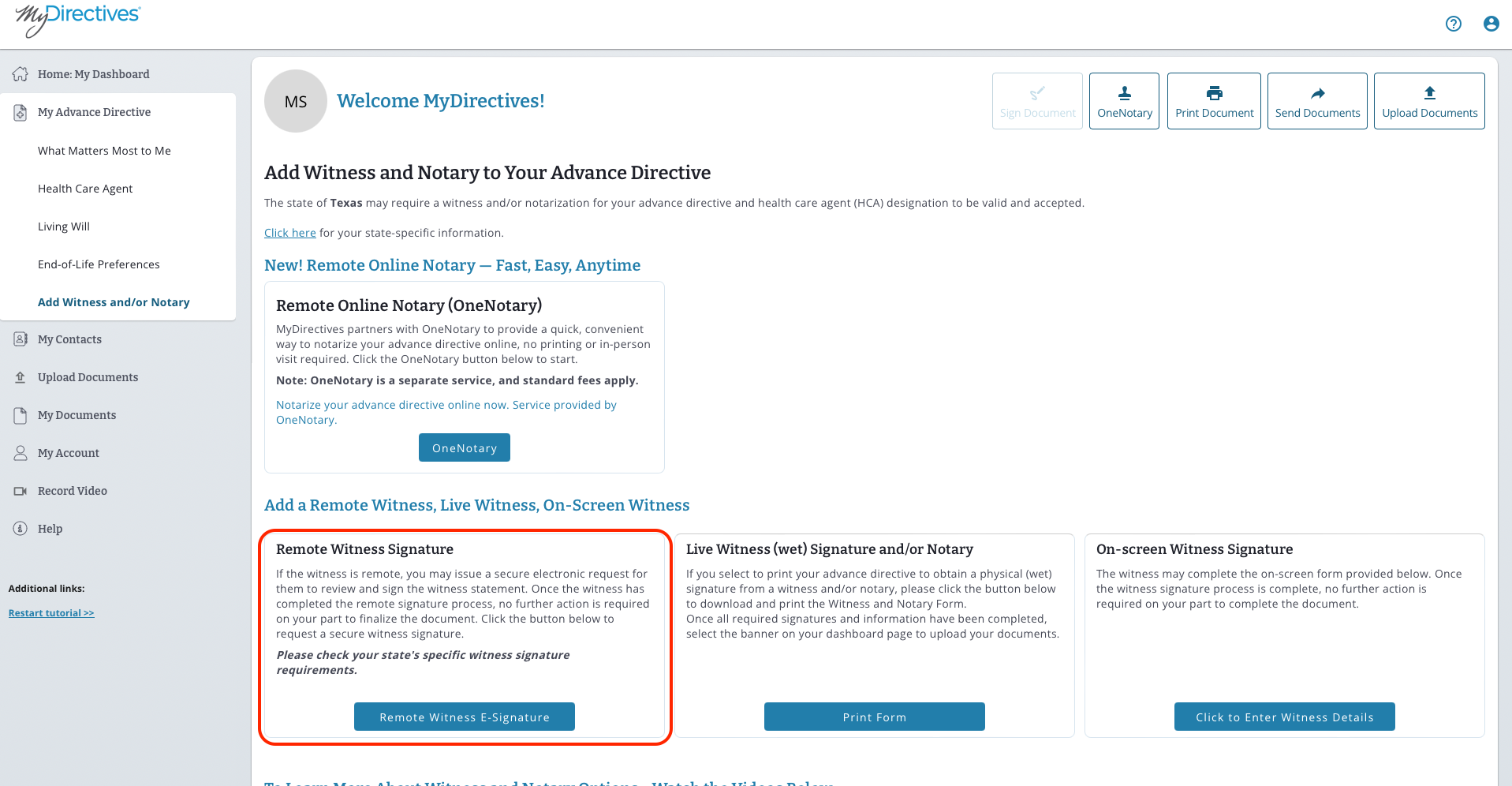
Since we are sending a Remote Signature Request, we will be clicking on the blue Remote Witness E-Signature button.
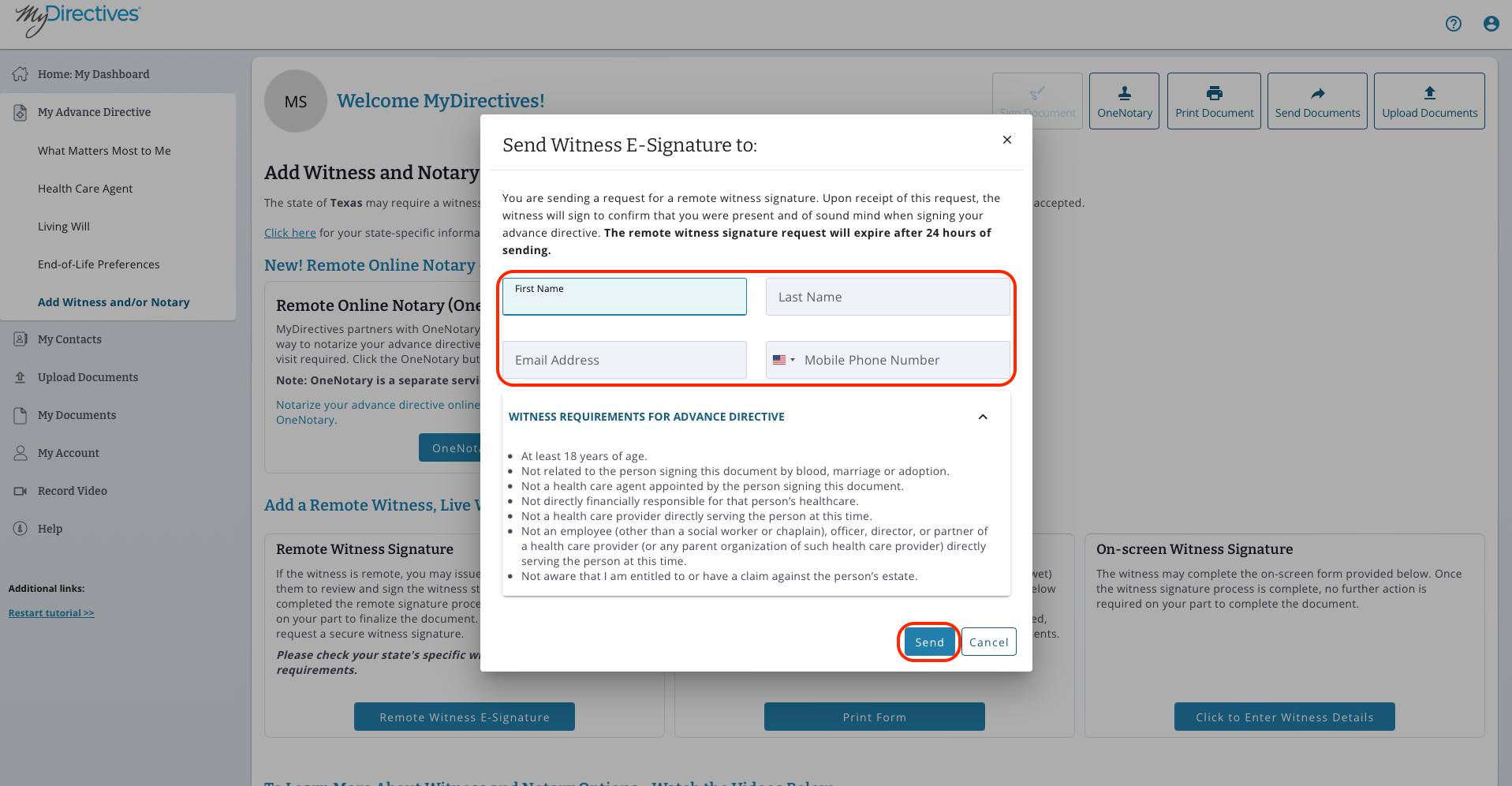
A pop-up will display, prompting you to enter the information for your first witness. Click the blue Send button to send your invitation.
Note - You only need to enter either a phone number or email address. Entering both fields will only send an email to your witness.
To add another witness, repeat the steps once more. Your witness(es) will have 24 hours to respond to your request before the link expires.